New: Packliste in ChatGPT

Your packing list, straight from the chat.

Describe your trip to ChatGPT. Packliste turns it into a list of categories and quantities that you adjust in the chat, then bring into the app.

Free, no Packliste account

How it works

From one sentence to a finished list.

  1. Describe your trip

    Tell ChatGPT how many nights you are away, who is coming along and where you are staying. Destination, dates and activities are optional.

  2. Adjust it in the chat

    The list appears right in the chat. Change quantities, check things off and add your own items, by message or directly in the list.

  3. Bring it into the app

    Tap “Transfer to Packliste”, then “Open in Packliste”. On a computer, scan the QR code with your iPhone instead.

Try it

Just start typing, for example:

  • Use Packliste to create a list for seven nights in a hotel, two adults.
  • Create a packing list for a week camping with two adults and a child.
  • Help me put together a Packliste list for a day trip.

Packliste 4.3 and later

Keep packing on your iPhone.

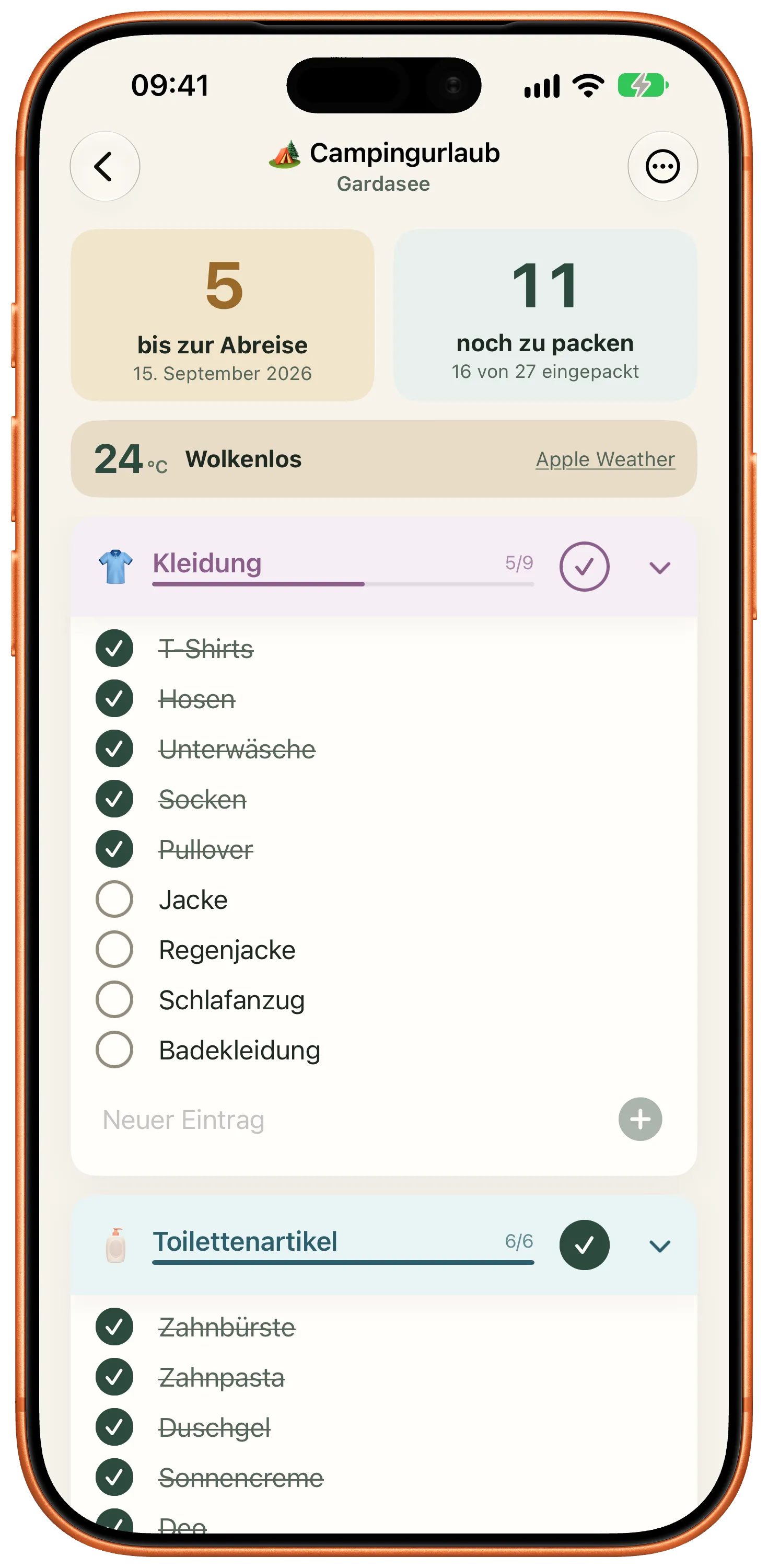
The app shows a preview first. Only when you save does it become a regular packing list, with every category, quantity and checkmark. From then on it syncs through iCloud like any other list.

Packliste showing categories and quantities in the app
  • Link, QR code or file

    On your iPhone, the link opens the app directly. On a computer, the QR code helps, and the list is also available as a .packliste file.

  • First list free

    If you have not created a list yet, the imported list becomes your free first list. More lists need Premium, a one-time purchase with no subscription.

  • No app yet?

    Download Packliste from the App Store, then open the same link again. It stays valid for seven days.

What happens to your list

While you create and edit the list in the chat, Packliste does not store it on a server. Only when you explicitly choose to import it does the import service keep that exact version for seven days. Anyone with the link can open the list during that time. Your conversation with ChatGPT is covered by OpenAI’s terms.

Details are in the privacy notice for Packliste in ChatGPT and the app’s privacy policy.

Quick answers

Frequently asked questions.

Does Packliste in ChatGPT cost anything?

No. Creating, adjusting and importing are free. In the app, the usual rules apply: your first list is free, more lists are part of Premium.

Do I need a Packliste account?

No. The app works without an account, and the import uses a link instead of a sign-in.

Can ChatGPT see my lists in the app?

No. ChatGPT has no access to the lists in your app and cannot change them. Only the list you explicitly hand over in the chat is imported, as a new list.

What if I open the same link twice?

On the same device, the link opens the list you already saved instead of creating a second one.

Which app version do I need?

Importing works with Packliste 4.3 or later on iPhone, iPhone Duo and iPad.

Try it on your next trip.

Plan in ChatGPT, check things off in Packliste.